


IT TRAINING


Join the Best Figma Course in Surat at Karon IT Training and master UI/UX design from beginner to advanced level. Our industry-focused Figma Training in Surat helps students, freelancers, job seekers, and professionals learn modern design skills demanded by top IT companies. Learn wireframing, prototyping, Auto Layout, Components, Design Systems, responsive web design, mobile app UI design, and developer handoff techniques using the latest Figma tools.
This Best UI/UX Design Course in Surat includes hands-on training through live projects, real-world assignments, portfolio development, and internship opportunities. Students will design professional websites, mobile applications, dashboards, and modern digital products while gaining practical industry experience. Our expert trainers provide personalized guidance to help you build a strong design portfolio and prepare for job interviews.
Karon IT Training offers Figma Certification Training in Surat with internship support, project-based learning, career guidance, and placement assistance. Whether you are a student, graphic designer, web designer, entrepreneur, or working professional, this course will help you develop in-demand UI/UX skills and advance your career in the digital design industry.
Enroll in the Best Figma Training Institute in Surat and become a skilled UI/UX designer capable of creating visually appealing, user-friendly, and professional digital experiences for websites and mobile applications.
Get job-ready with expert-led training, flexible batch timings, free internship opportunities, and industry-recognized certification.

2 Months

Online/Offline Classroom Training

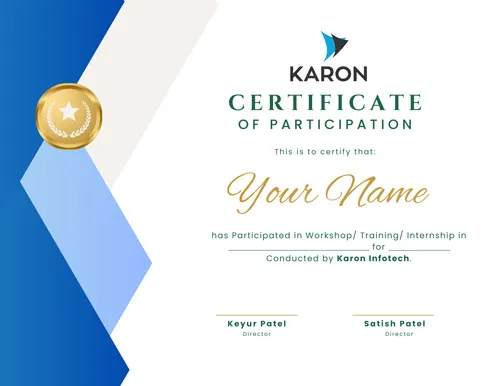
Students will receive a Course Completion Certificate
Figma Training Schedule

UI/UX design is the foundation of creating user-friendly, visually engaging digital products. Our certification course gives you hands-on knowledge of UI principles, UX strategies, and design thinking. You’ll master industry-standard tools such as Figma, Adobe XD, Photoshop, Illustrator, Canva, and After Effects to craft intuitive and impactful designs that meet professional standards.

The demand for UI/UX designers in Surat and globally is growing rapidly as businesses focus on user-centered solutions. By earning this certification, you validate your skills and gain a competitive edge. Career options include roles like UI Designer, UX Researcher, Product Designer, and Interaction Designer across IT companies, startups, and creative agencies.

Our training emphasizes design thinking, usability principles, and accessibility standards so your designs are not just attractive but also functional and inclusive. You’ll learn how to create professional-grade solutions that deliver excellent user experiences and make you stand out as a certified UI/UX professional in Surat.


Figma Course
What is UI (User Interface) Design?
What is UX (User Experience) Design
Difference Between UI and UX
Introduction to the field of UI/UX design, its importance, and career opportunities.
Process of UI/UX work
Platform: Figma
Module 1: FIGMA Introduction
Set up your Figma account
Find our way around Figma’s interface
Experiment with some of the key controls
Basic controls and tools
Module 2: Advanced Vector Editing
Create a logo and Icon set
Pen tool and vector networks
Boolean operations
Advanced shape manipulation
Module 3: Design a Mobile Application
Splash Screen, Onboarding Screen, Login screen,Sign Up, Reset Password
Module 4: Prototyping
Setting up interactive components
Creating and linking frames
Using overlays and interactions
Prototyping animations and transitions
Module 5: Collaborative Design in Figma
Real-time collaboration
Comments and feedback
Sharing designs with stakeholders
Module 6: Create a Tablet OR Desktop Version
Understanding constraints
Using an auto layout for flexible design
Creating responsive design elements
Module 7: Font Installer
Module 8: Plugins and Integrations
Module 9: Assets (Create Component)
Module 10: Redesign a popular App or Website
Module 11: Color psychology
Module 12: Figma Tips and Tricks
Module 13: Wireframing
What is Wireframing?
Creating Low-Fidelity Wireframes
AI Tools Covered in Figma Training
We are happy to help you 24/7